As you launch on designing innovative digital products, you’re likely looking for ways to enhance user experience. You can leverage AI-powered design to create smart interfaces that are intuitive and engaging. To streamline your design process, consider exploring tools like the Top AI UI Generator: For a faster UI Design in 2025, which can help you generate high-quality UI designs efficiently, allowing you to focus on refining your product’s overall user interface.

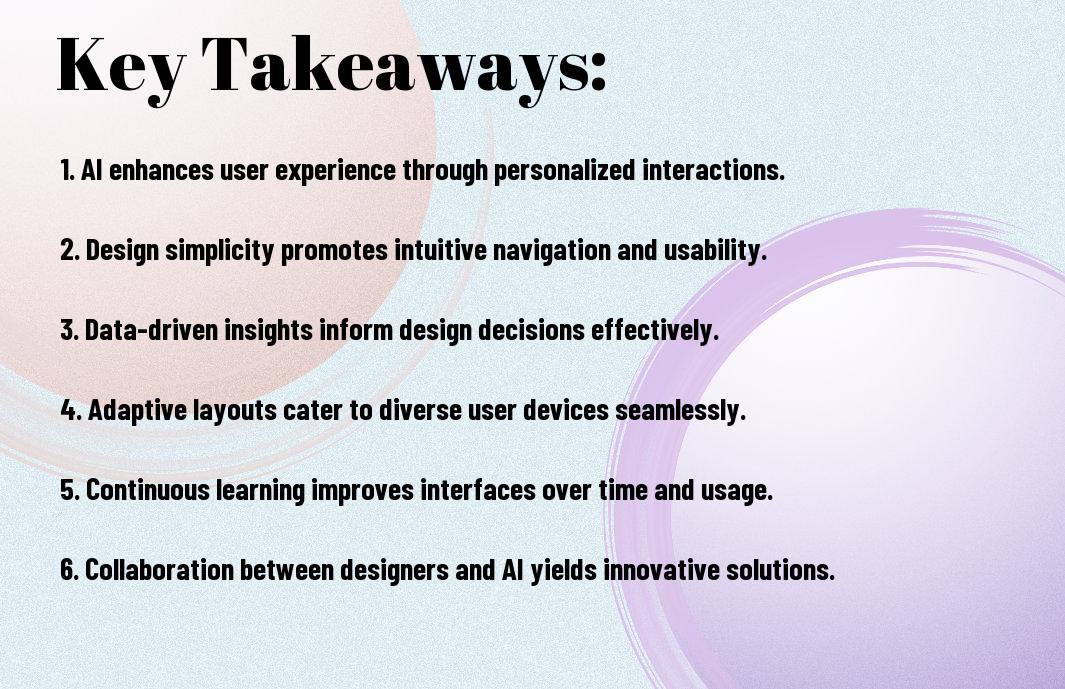
Key Takeaways:
- AI-powered design enables the creation of smart interfaces that can adapt to user behavior and preferences, providing a more personalized experience.
- Integrating AI into the design process can automate repetitive tasks, freeing up designers to focus on high-level creative decisions and strategy.
- AI-driven design tools can analyze large amounts of data to identify patterns and trends, informing design decisions and improving the overall user experience.
- Smart interfaces powered by AI can learn and improve over time, allowing them to become more intuitive and effective at solving user problems.
- Effective implementation of AI-powered design requires a deep understanding of both design principles and AI technologies, as well as a willingness to experiment and iterate.
Foundations of AI-Powered Interface Design
For creating effective AI-powered interfaces, you need to understand the underlying principles that drive their design. Your goal is to craft intuitive and interactive experiences that leverage artificial intelligence to enhance user engagement.
Core Components of Smart Interfaces
Fundamentally, you will be working with components that include data analysis, user feedback, and adaptive layouts, all of which contribute to a seamless user experience, allowing you to design interfaces that are both responsive and intelligent.
Machine Learning Integration Points
Prior to integrating machine learning into your interface, you should identify key areas where AI can enhance your design, such as predictive analytics or personalized recommendations, enabling you to create a more dynamic and engaging experience for your users.
Smart designers like you are now leveraging machine learning integration points to create interfaces that learn and adapt to user behavior over time, allowing your designs to evolve and improve continuously, and providing your users with a unique and tailored experience that meets their individual needs and preferences.
Human-Centered AI Design Principles
One of the key aspects of creating smart interfaces is incorporating human-centered AI design principles. You will need to consider your users’ needs, behaviors, and preferences when designing your interface. This approach ensures that your AI-powered design is intuitive, user-friendly, and provides a seamless experience for your users.
Cognitive Load Optimization
With a focus on simplicity and clarity, you can optimize the cognitive load of your interface. You should aim to minimize the amount of mental effort your users need to exert when interacting with your design, making it easier for them to navigate and understand.
Predictive User Behavior Analysis
Before you start designing your interface, you should analyze your users’ behavior to anticipate their needs and preferences. You can use data and analytics to identify patterns and trends in user behavior, enabling you to create a more personalized and effective design.
It is vital to consider the predictive user behavior analysis as an ongoing process, as your users’ needs and behaviors may change over time. You should continuously collect and analyze data to refine your design and ensure that it remains relevant and effective in meeting your users’ evolving needs, allowing you to make data-driven decisions to improve your interface and enhance your users’ experience.
Smart Interface Elements
Once again, you’ll find that AI-powered design enhances your user experience with intelligent interface elements that adapt to your needs, providing a seamless interaction with your digital products.
Dynamic Content Adaptation
Another key aspect of smart interfaces is the ability to adjust content in real-time, allowing you to see the most relevant information, and making your experience more engaging and personalized.
Real-time User Response Systems
Sophisticated systems can now analyze your behavior and respond accordingly, enabling you to get the most out of your digital interactions, with instant feedback and support.
In fact, as you explore real-time user response systems, you’ll discover that they can be integrated into various aspects of your interface, from chatbots to predictive analytics, allowing you to refine your design and create a more intuitive experience for your users, and ultimately, driving your business forward with data-driven insights and improved user satisfaction.
Design Intelligence Framework
Unlike traditional design approaches, a design intelligence framework integrates AI-powered tools to enhance your design process, enabling you to create smart interfaces that adapt to user needs.
Pattern Recognition in User Interaction
On the basis of user behavior, you can leverage AI to identify patterns and preferences, allowing you to tailor your design to meet their expectations and create a more personalized experience.
Automated Layout Generation
Against the backdrop of manual design, automated layout generation uses AI to create optimal layouts, saving you time and effort, and enabling you to focus on higher-level design decisions.
Plus, with automated layout generation, you can explore multiple design options and iterate quickly, testing and refining your design to ensure it meets your goals and resonates with your target audience, ultimately leading to more effective and engaging interfaces.
Interface Evolution Mechanisms
Despite the complexity of AI-powered design, you can create smart interfaces by understanding the underlying mechanisms. You will explore the various components that enable your interface to evolve and adapt to user needs.
Self-Learning Components
Selfishly, you focus on components that can learn from user interactions, enabling your interface to improve over time. You will discover how these components can be integrated into your design to create a more personalized experience.
Adaptive Design Systems
Systematically, you approach the design of your interface, considering the adaptive systems that can adjust to user behavior. You will learn how to implement these systems to create a more dynamic and responsive interface.
Mechanisms such as machine learning algorithms and user feedback loops are imperative to creating adaptive design systems. You can use these mechanisms to analyze user interactions and adjust your interface accordingly, providing a more tailored experience for your users. As you explore deeper into adaptive design systems, you will find that they enable your interface to evolve and improve over time, allowing you to stay ahead of the curve in terms of user experience.
Implementation Methods
To successfully integrate AI-powered design into your interface, you’ll need to consider several factors, including the type of AI technology to use and how it will be incorporated into your existing design framework.
Technical Integration Steps
After determining the AI technology to use, you’ll need to follow a series of technical integration steps, including setting up the necessary infrastructure, integrating the AI algorithms, and testing the system to ensure seamless functionality.
Performance Optimization
Above all, optimizing your AI-powered interface’s performance is key to ensuring a smooth user experience, and you can achieve this by monitoring system performance, identifying bottlenecks, and making adjustments as needed.
Due to the complex nature of AI-powered design, you may encounter performance issues, but by prioritizing optimization and continually monitoring your system, you can identify and address these issues, ensuring your interface functions at its best and provides the best possible experience for your users.
To wrap up
From above, you can see that creating smart interfaces with AI-powered design is a game-changer for your projects. You will be able to craft intuitive and user-friendly interfaces that enhance your users’ experience. With AI-powered design, you can streamline your workflow, making it more efficient and effective. Your designs will be more innovative, and you will be able to stay ahead of the curve in the ever-evolving world of technology.
FAQ
Q: What is AI-Powered Design and how can it be used to create smart interfaces?
A: AI-Powered Design is a cutting-edge approach that leverages artificial intelligence and machine learning algorithms to create intelligent and intuitive interfaces. This technology enables designers to craft user experiences that are tailored to individual preferences, behaviors, and needs. By integrating AI into the design process, developers can create smart interfaces that learn and adapt to user interactions, providing a more personalized and engaging experience. For instance, AI-Powered Design can be used to develop interfaces that adjust their layout, content, and functionality in real-time, based on user feedback and behavior.
Q: What are the benefits of using AI-Powered Design for creating smart interfaces, and how can it improve user experience?
A: The benefits of using AI-Powered Design for creating smart interfaces are numerous. For one, it enables the creation of highly personalized and adaptive user experiences that can increase user engagement and satisfaction. AI-Powered Design can also help to simplify complex tasks and workflows, making it easier for users to navigate and interact with interfaces. Additionally, AI-Powered Design can provide valuable insights into user behavior and preferences, allowing designers to refine and optimize their designs for better performance. By leveraging AI-Powered Design, developers can create smart interfaces that are not only intuitive and user-friendly but also highly effective in achieving their intended goals.
Q: What skills and tools are required to create smart interfaces with AI-Powered Design, and how can designers get started with this technology?
A: To create smart interfaces with AI-Powered Design, designers and developers need to have a solid understanding of artificial intelligence, machine learning, and human-computer interaction principles. They should also be proficient in using design tools and software that support AI-Powered Design, such as those that offer AI-driven design assistants, predictive analytics, and user experience modeling. Some popular tools for AI-Powered Design include design platforms like Adobe XD, Figma, and Sketch, as well as AI-powered design tools like Google’s Material Design and Microsoft’s Fluent Design. To get started with AI-Powered Design, designers can take online courses, attend workshops, and participate in design communities to learn more about this emerging field and stay up-to-date with the latest trends and technologies.