With its constant improvement and regular addition of new features, Instagram’s companion app, Threads, is speedily, steadily growing its user base.
In April 2024, almost a year on from its rocketship release, Facebook CEO Mark Zuckerberg shared that the Meta-owned platform now has more than 150 million active users.
That’s pretty impressive, but perhaps what’s especially notable is that the social media platform now has more active users in the U.S. daily than Twitter/X and Business Insider reports.
Despite the many Twitter alternatives out there, it’s Threads that seems to be filling the void left by ‘old Twitter’ for many fans of the fast-paced, text-heavy platform.
Instagram Threads is emerging as a class all on its own when it comes to community building on social media and is a great way to connect with fans and customers. Creators and marketers who ignore the platform are missing a trick.
If you’re unsure about whether or not to join Threads, I hear you — there are so many social networks to choose from. Surely adding another one into the mix, especially one as new as Threads, is going to drain your time without delivering much return on investment?
I’d argue the opposite — Threads is the platform you should be carving out a space on right now. For one thing, it’s a far lower lift than most other networks, and it's really easy to repurpose your content from elsewhere.
For another, it may soon become a powerhouse when it comes to boosting reach and visibility, thanks to its close partnership with Instagram and the fact that it connects to the Fediverse (don’t worry, we’ll get into all that below).
Bonus: Threads is also incredibly fun.
If you’re late to the Instagram Threads party, fear not — we’re just getting started. This guide will help you understand how to use Threads effectively, from starting your account to growing a dedicated following.
What is Threads?
Threads is a new text-based app by Instagram designed for “sharing text updates and joining public conversations,” according to Meta.
While you can post photos, videos, and GIFs on the platform, text-based threads (see what they did there?) are the order of the day. The app bears a striking resemblance to Twitter but with a distinctly Instagram feel.
In order to create a Threads account, users will have to have an Instagram account. Instagram features popular threads in users’ feeds on Instagram, and Threads users can tag Instagram accounts on Threads, even if the user they’re tagging doesn’t have Threads.
Unlike Instagram, however, the new app is built for conversation. Users can post public or private threads, like, comment on, or share public threads, follow other users, and build their own followings in turn.
How does Threads work?
To understand Threads (and the Threads algorithm), you first need to understand the Following feed and the For You feed.
The Following feed is exactly what it says on the tin: a feed showing content from all the other Threads users you follow. Right now, this content is not ranked by an algorithm — all the threads you see are in chronological order.
The For You feed is where the Threads algorithm comes into play and where, if you’re a creator or marketer, you want your content to appear to grow your engagement and following on Threads.
The algorithm ranks content on Threads in the same way the Instagram algorithm does: it serves the content to a small cohort of your followers and some non-followers and gauges their reactions (do they linger on the post? Or like, comment on, save, or share it?). These interactions (and thousands more) are signals that carry different weights in the Threads algorithm.
In a nutshell, the more engagement you receive on your Threads posts, the more valuable the Threads algorithm thinks they are. The more valuable the algorithm thinks your posts are, the more likely they are to appear in another Threads feed.
Here’s a full guide to the Threads algorithm that will take you deeper.
Why Instagram Threads?
Despite being tied to Instagram and modeled after Twitter, Threads is emerging as a powerful option in your suite of social media platforms. It might not quite have the sheer volume of monthly active users that the likes of Facebook, TikTok, and Instagram have, but growing a following on Threads does come with some pretty unique benefits.
Here are some reasons to consider getting active on Instagram Threads:
Light(er)-lift content
Threads is perfect for sharing quick, spontaneous content. While sharing photos and videos is possible, Threads is not primarily a visual platform. Text-based content is Threads’ bread and butter.
Now, the idea that whipping up a text Thread is simple is easy for me to say as a writer, but think about it: how long does it take you to edit an Instagram Reel, carousel, or TikTok video? Even Instagram photo posts, with all the aesthetic edits they often require, are usually more time-consuming than writing the caption.
While adding another social media platform into the mix, whether you're a marketer or content creator, should not be taken lightly, Threads will not require the time, energy, and resources required on Instagram, TikTok, and YouTube. Compared to these platforms, it's a relatively easy win.
A gateway to the Fediverse
The Instagram app is not the only one Threads connects with. In March 2024, Threads started allowing U.S. users to connect their accounts to the Fediverse, a decentralized network of interconnected social media platforms and other online services. The Fediverse (federation + universe) includes social platforms like Mastodon and Bluesky.
Opting into this means your Threads content will be visible on these platforms. Users will be able to follow you from there, even if they don’t have a Threads account themselves.
Make headway in a niche community
Instagram Threads has a unique take on hashtags (just called ‘tags’) that sees them behave more like subreddits (community subgroups) than hashtags on other platforms. Instagram head Adam Mosseri shared in an update that the goal was to “help us build a space that really fosters healthy conversation.”
Versatile content
I touched on this above, but it’s worth spelling out: it’s easy to repurpose content from pretty much any other social media platform. Everything you’ve ever posted can be reused (preferably with an update or a twist). Instagram Stories, TikTok videos, LinkedIn carousels, Twitter threads: all the media you create for these posts is supported on Threads.
Now, that doesn’t necessarily mean just sharing the videos you’ve posted elsewhere (you’ll definitely want to remove the watermarks, for starters). Beyond that — what about your captions? The fact that Threads doesn’t require a multimedia upload like other channels leaves the doors open for you to turn your captions into standalone threads as well.
Of course, this goes for new content, too — anything you have planned for another social media platform can live on Threads, too.
Improve Instagram visibility (and vice versa)
Threads and Instagram are best viewed as partner platforms. If your goal is to grow your Instagram following, I’d argue that being active on Threads is a must.
Anecdotal evidence suggests that getting active on Threads may boost the reach of your Instagram content. While there’s no word from Instagram on this, it’s worth noting that the platform does reward creators for engaging with its new features.
Rumors notwithstanding, your Threads content may benefit from being featured on Instagram (Instagram has been sharing top-performing threads in users' feeds in an attempt to drive sign-ups).
Here's an example of how it shows up in Instagram users' feeds:
It’s also a great way to connect more deeply with your followers, where conversations are easier to follow than in Instagram comments and DMs.
If you have an Instagram following, you won’t start from scratch
If the fear of seeing that little ‘0’ next to your name on Threads is what’s putting you off, I have good news. One of the brilliant things about Threads is that it leverages your existing Instagram following.
So when you sign up through Instagram, all your followers who are already on Threads will be sent a notification, with an easy-to-tap follow button right in their activity tab.
How to create a Threads account
Have I convinced you to join Threads yet? Here’s how easy it is to get up and running on the platform:
- Download and install the Threads app: Download Threads from the Apple App Store (iOS) or Google Play Store (Android).
- Log in with Instagram: Use your Instagram account to log in. If you don’t have an Instagram account, you’ll need to create one on Instagram.com or the app. There’s no need actually to use this Instagram profile if you don’t want to. You can opt for a private profile and don’t need to post on the Instagram account in order to use Threads. Your Threads and Instagram accounts are effectively the same accounts — you cannot create a Threads account separately. If you have multiple Instagram accounts, you can create a separate (but connected) Threads account for each one.
- Set up your Threads profile: Customize your Threads
Recommended Story For You :
Organize Keywords and Import CSV Files from the Google Keyword Planner
The Most Affordable And Easiest User Friendly Page Builder You Will Ever Use!

Instant WordPress Theme That Matches Your Website
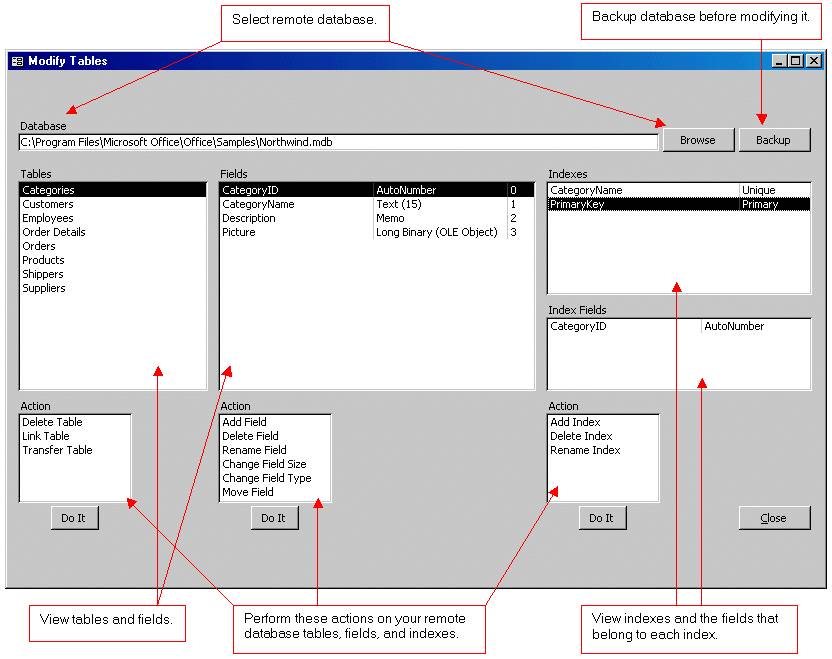
Wizard to Manage Remote Backend MS Access Database Tables Fields and Indexes

If you had an aisle-by-aisle grocery list wouldn't you spend less money on impulse items?
everything you need to create a professional corporate look mini-site is there.
Unlock Your Networking Potential with GNS3Vault
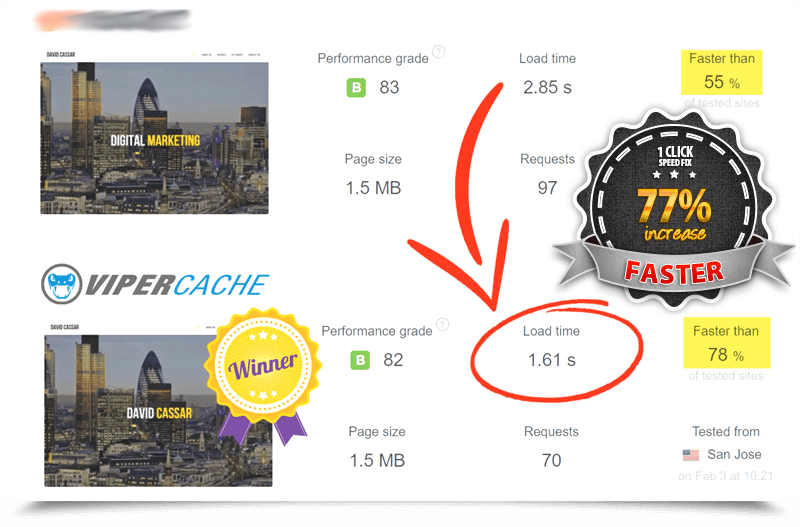
Viper Cache Was 77% Faster Than The Competetion

Understanding Stock Market Shorting eBook