Design

Maximizing Engagement – Designing Eye-Catching PDFs For Sales Promotion

You want to capture your audience’s attention and drive sales through effective promotional materials. Your PDFs can be a powerful tool in achieving this goal. By designing eye-catching PDFs, you can increase engagement and motivate your readers to take action. You will learn how to create visually appealing and informative PDFs that showcase your products and services, helping you to boost sales and grow your business.

Key Takeaways:

  • Designing eye-catching PDFs for sales promotion requires a strategic approach to maximize engagement, including the use of high-quality visuals, clear typography, and a well-structured layout to guide the reader’s attention.
  • Effective use of color, imagery, and white space can help to create a visually appealing PDF that captures the reader’s interest and communicates the sales message in a concise and compelling way.
  • Optimizing PDFs for mobile devices and ensuring they are easily accessible and navigable is also imperative to reach a wider audience and increase the chances of successful sales promotion.
    Visual Hierarchy

    A well-designed visual hierarchy is crucial for creating eye-catching PDFs that capture your audience’s attention and guide them through your sales promotion. You can achieve this by using size, color, and placement to create a clear order of importance, drawing your readers’ eyes to the most significant elements first.

    Layout Fundamentals

    For effective PDF design, you need to balance text and images, using white space to create a clean and uncluttered layout that makes your content easy to scan and understand, allowing you to communicate your message clearly and efficiently to your target audience.

    Color Psychology in Sales

    Colored elements can greatly impact your PDF’s visual appeal, and you can use different hues to evoke emotions and influence your readers’ perceptions, making your sales promotion more engaging and persuasive, as you strategically select colors that resonate with your brand and message.

    Also, as you research deeper into color psychology, you’ll discover how different colors can stimulate various emotions and reactions, enabling you to tailor your design to your target audience’s preferences and increase the effectiveness of your sales promotion, ultimately driving more conversions and boosting your revenue, as you apply your knowledge of color psychology to create a compelling and persuasive visual narrative.

    Content Flow

    Assuming you have a clear message, your next step is to organize it in a logical and visually appealing way, you can check out 11 Impressive Sales One-Pager Templates to Educate & Engage for inspiration, to create an effective content flow that guides your audience through your PDF.

    Typography Selection

    Across various design elements, you’ll need to choose typography that enhances your message, making it easy for your audience to follow and understand your sales promotion, selecting fonts that align with your brand and resonate with your target audience.

    White Space Management

    Management of white space is necessary to avoid clutter and make your content more readable, you should balance text and images to create a clear visual hierarchy, drawing your audience’s attention to key points in your sales promotion.

    Hence, as you work on managing white space, consider the overall aesthetic you want to achieve, and use it to create a sense of harmony and balance, making your PDF easy to navigate and understand, which will help you to effectively communicate your sales message to your audience.

    Graphic Elements

    To create visually appealing PDFs for sales promotion, you need to incorporate graphic elements that capture your audience’s attention. You can use a combination of images, icons, and graphics to break up text and make your content more engaging.

    Image Placement

    Any well-placed image can elevate the design of your PDF and draw your readers’ eyes to specific sections. You should place images strategically to create a balance between text and visuals, making your content more scannable and easier to understand.

    Icon Integration

    On the other hand, icons can add a touch of personality to your PDF and help illustrate complex concepts. You can use icons to highlight key points, create visual hierarchies, and guide your readers through the content.

    Also, when integrating icons into your design, you should consider your brand’s overall visual identity and ensure that the icons align with your brand’s style and tone. You can use icons to create a consistent visual language throughout your PDF, making it more recognizable and memorable to your audience.

    Call-to-Action Design

    Unlike other design elements, your call-to-action (CTA) should be prominent and attention-grabbing, encouraging your audience to take the desired action. You want your CTA to stand out and prompt your readers to engage with your sales promotion.

    Button Positioning

    Deliberately placing your CTA button in a visible location is key to maximizing engagement, you should position it in an area where your readers will naturally look, such as the top or bottom of the page.

    Persuasive Elements

    Following the placement of your CTA, you can enhance its effectiveness by adding persuasive elements, such as images, icons, or colors that resonate with your brand and message, making your CTA more compelling and increasing the likelihood that you will convert your readers into customers.

    At this stage, you have the opportunity to refine your CTA by experimenting with different persuasive elements, you can test various combinations to determine what works best for your specific sales promotion, and make data-driven decisions to optimize your design and boost engagement, ultimately driving more sales and growing your business.

    Mobile Optimization

    After designing your PDF, you’ll want to ensure it’s optimized for mobile devices. You can learn more about effective design strategies in the Boosting Best Practices Guide, which provides valuable insights to enhance your sales promotion materials.

    Responsive Design

    Against the backdrop of varying screen sizes, you’ll need to create a responsive design that adapts seamlessly to different devices, allowing your audience to easily navigate and engage with your content.

    Screen Adaptability

    Across different mobile devices, your PDF’s layout and visuals should remain intact, ensuring a consistent user experience that supports your sales promotion goals.

    In fact, when you prioritize screen adaptability, you enable your audience to access and interact with your PDF effortlessly, regardless of the device they use, which can lead to increased engagement and ultimately, drive more sales.

    Brand Consistency

    Many companies underestimate the importance of maintaining a consistent visual identity in their sales promotional materials, including PDFs. You can ensure that your brand is recognizable and trustworthy by using consistent design elements throughout your PDFs.

    Style Guidelines

    The tone and language used in your PDFs should align with your brand’s overall voice and style, creating a cohesive and professional image that resonates with your target audience, helping you to build a strong connection with your customers.

    Corporate Identity Elements

    Along with your brand’s style guidelines, incorporating corporate identity elements such as logos, color schemes, and typography will help to reinforce your brand’s image and make your PDFs instantly recognizable to your customers.

    Guidelines for using corporate identity elements in your PDFs should be clearly outlined in your brand’s style guide, ensuring that you use the correct versions of your logo, color palette, and typography, and that these elements are used consistently throughout all your sales promotional materials, including PDFs, to maintain a strong and recognizable brand image that your customers will trust and respond to.

    Conclusion

    With these considerations, you can create eye-catching PDFs that maximize engagement and boost your sales promotion. You will be able to design effective PDFs that capture your audience’s attention, conveying your message in a clear and concise manner. By applying these strategies, you will enhance your brand’s visibility and ultimately drive more sales, making your marketing efforts more successful and increasing your return on investment.

    FAQ

    Q: What are the key elements to consider when designing eye-catching PDFs for sales promotion to maximize engagement?

    A: When designing PDFs for sales promotion, it’s crucial to consider several key elements to maximize engagement. These include using high-quality images, selecting a clear and easy-to-read font, and incorporating a consistent color scheme that aligns with your brand. Additionally, the layout should be well-organized, making it easy for readers to navigate and find the information they need. Finally, incorporating interactive elements such as links, buttons, and fillable forms can help to increase engagement and encourage readers to take action.

    Q: How can I make my PDFs more interactive and engaging for potential customers?

    A: To make your PDFs more interactive and engaging, consider incorporating multimedia elements such as videos, animations, and audio files. You can also use hyperlinks to connect readers to your website, social media, or other relevant online content. Furthermore, using tools such as polls, quizzes, and surveys can help to encourage reader participation and increase engagement. Finally, consider using digital signatures and fillable forms to make it easy for readers to provide feedback or take action.

    Q: What role does branding play in designing effective PDFs for sales promotion?

    A: Branding plays a significant role in designing effective PDFs for sales promotion. Consistent branding helps to establish trust and credibility with potential customers, and can help to differentiate your business from competitors. When designing your PDF, ensure that your branding is consistent throughout, including your logo, color scheme, and typography. This will help to create a professional and cohesive look that aligns with your overall marketing strategy.

    Q: How can I optimize my PDFs for mobile devices to ensure maximum engagement?

    A: To optimize your PDFs for mobile devices, consider using a responsive design that adapts to different screen sizes and devices. This will ensure that your content is easily readable and navigable, regardless of whether readers are viewing it on a desktop, tablet, or smartphone. Additionally, keep your PDFs concise and to the point, avoiding large files that may be slow to download on mobile devices. Finally, use clear and easy-to-click links and buttons to make it easy for readers to take action.

    Q: What metrics should I use to measure the effectiveness of my PDFs in terms of engagement and sales promotion?

    A: To measure the effectiveness of your PDFs in terms of engagement and sales promotion, consider tracking metrics such as open rates, click-through rates, and conversion rates. You can also use analytics tools to track how readers are interacting with your PDF, including which pages they are viewing, how long they are spending on each page, and which links they are clicking on. Finally, consider using A/B testing to compare the effectiveness of different design elements and messaging, and make data-driven decisions to optimize your PDFs for maximum engagement and ROI.

Designing Interactive Apps with Advanced AI Technologies

As you explore into the world of app design, you’ll discover the potential of advanced AI technologies to enhance user experience. You can create interactive apps that learn and adapt to your users’ behavior, providing personalized interactions. With your skills and knowledge, you can harness the power of AI to develop innovative and engaging apps that set you apart from the rest. Your ability to leverage AI will enable you to craft unique experiences that captivate and retain users.

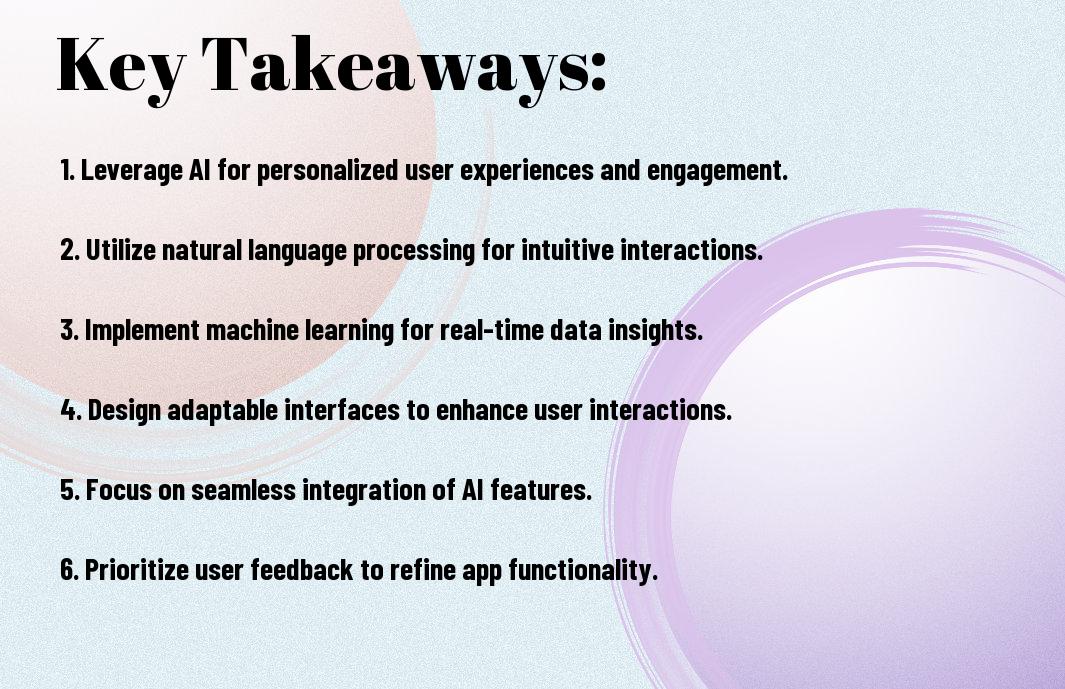
Key Takeaways:

  • Integrating advanced AI technologies into interactive apps can significantly enhance user experience by providing personalized and dynamic interactions, such as voice assistants, facial recognition, and predictive analytics.
  • AI-powered apps can leverage machine learning algorithms to analyze user behavior and adapt to their preferences, leading to increased engagement and loyalty.
  • Designing interactive apps with AI requires a deep understanding of human-computer interaction principles, including intuitive interfaces, natural language processing, and emotional intelligence.
  • Advanced AI technologies, such as computer vision and augmented reality, can enable innovative features like object detection, image recognition, and immersive experiences, expanding the possibilities of interactive app design.
  • Effective design of AI-powered interactive apps involves balancing technological capabilities with ethical considerations, such as data privacy, bias, and transparency, to ensure a trustworthy and responsible user experience.

Core AI Technologies in App Design

While designing interactive apps, you will encounter various AI technologies that can enhance your app’s functionality. You will need to understand these technologies to create an engaging user experience. Your app’s success depends on the effective integration of these technologies.

Machine Learning Integration

Besides other AI technologies, machine learning enables your app to learn from user behavior and adapt to their needs. You can use machine learning to personalize your app’s content and improve user engagement. Your app will become more intuitive and user-friendly with machine learning integration.

Natural Language Processing Components

Alongside other technologies, natural language processing (NLP) components allow your app to understand and process human language. You can use NLP to create chatbots, voice assistants, and other interactive features that enhance user experience. Your app will be able to communicate with users more effectively with NLP components.

In addition to the basic functions of NLP, you can also use it to analyze user feedback and sentiment. You can then use this information to improve your app’s performance and user experience. Your app will become more responsive to user needs, and you will be able to make data-driven decisions to drive your app’s success.

User Experience and AI Interaction

Assuming you want to create an engaging and intuitive app, you’ll need to consider how users interact with AI technologies, and design an experience that feels seamless and natural, allowing you to build trust with your users.

Predictive Interface Design

Around the concept of predictive interface design, you’ll find that AI can help you anticipate user needs, providing a more personalized experience, and enabling you to make data-driven design decisions that enhance your app’s overall usability.

Adaptive Learning Systems

Against the backdrop of evolving user behaviors, you’ll need to incorporate adaptive learning systems that adjust to individual preferences, allowing you to deliver targeted content and improve user engagement, and as you investigate deeper, you’ll discover the full potential of these systems.

Adaptive learning systems enable you to create a unique experience for each user, as they learn and adapt to individual behaviors, you can refine your app’s performance, and make adjustments to better meet the needs of your users, ultimately leading to increased satisfaction and loyalty.

Data Management and Processing

Keep in mind that effective data management is vital for designing interactive apps with advanced AI technologies. You will need to consider how your app will collect, store, and process user data to ensure seamless functionality and personalized experiences.

Real-time Analytics

Driven by the need for instant insights, you can leverage real-time analytics to monitor user behavior and make data-driven decisions to improve your app’s performance and user engagement.

Privacy and Security Protocols

Before implementing any data management strategy, you should consider the privacy and security implications of collecting and storing user data, ensuring that your app complies with relevant regulations and protects your users’ sensitive information.

Privacy is a top concern for your users, and you must prioritize it when designing your app’s data management system. You should implement robust security measures, such as encryption and access controls, to safeguard user data and prevent unauthorized access or breaches, maintaining trust and credibility with your users.

AI-Driven Personalization

To create a truly immersive experience, you can leverage AI-driven personalization in your interactive app, allowing you to tailor the user experience to individual preferences and behaviors.

User Behavior Analysis

On the basis of user interactions, you can analyze behavior patterns, identifying trends and preferences that inform your personalization strategy, enabling you to create a more engaging experience for your users.

Dynamic Content Adaptation

To further enhance the user experience, you can implement dynamic content adaptation, adjusting the content and layout in real-time to match your users’ evolving needs and interests.

Considering the complexities of dynamic content adaptation, you will need to develop a system that can process user data, preferences, and behavior in real-time, adjusting the content seamlessly to create a unique experience for each user, making your app more engaging and increasing user retention.

Performance Optimization

Unlike other aspects of app design, performance optimization requires careful consideration of various factors to ensure a seamless user experience. You need to balance functionality with efficiency to create an app that is both feature-rich and fast.

Resource Management

Beneath the surface of your app’s interface, you’ll find a complex system of resources that need to be managed effectively. You can optimize your app’s performance by allocating resources wisely, ensuring that your app runs smoothly and efficiently on various devices.

Response Time Enhancement

Performing regular checks on your app’s response time is imperative to identify areas for improvement. You can enhance your app’s response time by optimizing code, reducing latency, and leveraging advanced AI technologies to streamline processes.

Time is of the essence when it comes to response time enhancement, and you should focus on creating an app that responds quickly to user input. You can achieve this by using advanced AI-powered tools to analyze user behavior, predict interactions, and optimize your app’s performance accordingly, resulting in a more engaging and interactive user experience for your users.

Testing and Quality Assurance

Not only is testing crucial, but you also need to ensure your app’s AI integration is seamless. You can explore 15 AI Tools for Designers in 2025 to improve your design process.

AI Model Validation

By validating your AI models, you ensure they function as intended, and you can identify potential errors early on, saving you time and resources in the long run.

User Interaction Testing

Assurance of a smooth user experience is vital, and you achieve this by testing how users interact with your app, identifying areas that need improvement.

Validation of user interaction is an ongoing process, and as you test your app, you will uncover new ways to enhance the user experience, making your app more engaging and effective, allowing you to make data-driven decisions to refine your design and improve your app’s overall performance.

Conclusion

Hence, as you examine into designing interactive apps with advanced AI technologies, you will uncover new possibilities for enhancing your user experience. You will be able to create personalized and dynamic interfaces that adapt to your users’ needs. By leveraging AI, you can streamline your development process and focus on crafting innovative solutions that set your apps apart. Your ability to integrate AI will ultimately determine the success of your interactive apps in today’s competitive market.

FAQ

Q: What are the key considerations when designing interactive apps with advanced AI technologies?

A: When designing interactive apps with advanced AI technologies, it’s crucial to consider the user experience, ensuring that the AI-driven features are intuitive and seamless. This involves understanding the target audience, their needs, and preferences to create a user-friendly interface. Additionally, developers should prioritize data privacy and security, as AI technologies often rely on vast amounts of user data. By balancing innovation with user-centric design, developers can create engaging and effective interactive apps that leverage the power of AI.

Q: How can developers integrate AI technologies into their app design to enhance user engagement?

A: Developers can integrate AI technologies into their app design by incorporating features such as natural language processing (NLP), machine learning algorithms, and computer vision. These technologies can enable personalized recommendations, predictive analytics, and interactive interfaces that adapt to user behavior. For instance, chatbots powered by NLP can provide users with tailored support and guidance, while machine learning algorithms can help apps learn from user interactions and improve over time. By leveraging these AI-driven features, developers can create immersive and dynamic experiences that captivate and retain users.

Q: What are the potential challenges and limitations of designing interactive apps with advanced AI technologies?

A: One of the primary challenges of designing interactive apps with advanced AI technologies is ensuring that the AI systems are transparent, explainable, and fair. Developers must also address concerns around data bias, as AI algorithms can perpetuate existing biases if trained on biased data. Furthermore, the complexity of AI technologies can lead to increased development time and costs, requiring significant expertise and resources. To overcome these challenges, developers should prioritize testing, validation, and iteration, as well as collaborate with AI ethicists and experts to ensure that their apps are both innovative and responsible.

How AI Models are Revolutionizing App Design

As you probe into the world of app design, you’ll notice a significant shift towards incorporating AI models. Your experience with apps is about to become more personalized and intuitive. With AI-powered design, you can expect more efficient and user-friendly interfaces. You’ll see how AI models are transforming the way apps are created, making your interactions more seamless and enjoyable. Your apps will learn and adapt to your behavior, providing a unique experience tailored to your needs.

Key Takeaways:

  • AI models are transforming the app design process by enabling developers to create personalized user experiences through predictive analytics and machine learning algorithms.
  • AI-powered design tools can automate repetitive tasks, such as layout and formatting, allowing designers to focus on high-level creative decisions and improving overall design efficiency.
  • AI-driven design systems can analyze user behavior and preferences, providing valuable insights that inform design decisions and help create more intuitive and engaging user interfaces.
  • AI models can also facilitate the development of accessible design, by automatically generating design elements that meet accessibility standards and guidelines, such as high contrast colors and clear typography.
  • The integration of AI in app design is enabling the creation of more dynamic and adaptive user interfaces, which can adjust to individual user needs and preferences in real-time, leading to a more seamless and enjoyable user experience.

The Evolution of App Design

Before the advent of AI models, app design was a tedious and time-consuming process, relying on manual efforts and limited creativity. You had to depend on your own skills and experience to create engaging and user-friendly interfaces.

Traditional Design Approaches

Beneath the surface of traditional design approaches lies a complex process of trial and error, where you had to test and refine your designs multiple times to get the desired outcome, often resulting in delayed project timelines and increased costs.

Rise of AI-Driven Solutions

With the integration of AI models, you can now create app designs that are not only visually appealing but also highly functional and personalized to your target audience, enabling you to stay ahead of the competition.

At the forefront of this revolution, AI-driven solutions are empowering you to automate repetitive tasks, analyze user behavior, and make data-driven decisions to optimize your app’s performance and user experience, allowing you to focus on high-level creative decisions and strategy.

Core AI Technologies in App Design

There’s a range of AI technologies driving innovation in app design, and you can learn more about How AI Is Revolutionizing Mobile App Development in 2024? to stay ahead of the curve.

Machine Learning Algorithms

Technologies like machine learning algorithms enable your apps to learn from user interactions, making them more intuitive and user-friendly, allowing you to create personalized experiences.

Neural Networks and Pattern Recognition

Against the backdrop of evolving user needs, neural networks and pattern recognition play a significant role in enhancing your app’s functionality and overall performance.

Understanding how neural networks and pattern recognition work can help you leverage these technologies to improve your app’s ability to analyze and respond to user behavior, creating a more dynamic and engaging experience for your users.

AI-Powered Design Features

Despite the initial skepticism, AI is transforming the app design landscape, and you can learn more about How AI Is Changing the Landscape of UX and Product Design. As you explore AI-powered design features, you’ll discover new possibilities for creating engaging user experiences.

Automated Layout Generation

With automated layout generation, you can create adaptive and responsive designs that adjust to different screen sizes and devices, saving you time and effort in the design process.

Smart Color Schemes and Typography

AIPowered tools help you create visually appealing color schemes and typography, enabling you to establish a strong brand identity and enhance your app’s overall aesthetic.

Smart color schemes and typography play a significant role in capturing your users’ attention, and with AI, you can experiment with various combinations to find the perfect fit for your app, making it more engaging and user-friendly.

Personalization Through AI

Once again, AI models are transforming the app design landscape by enabling personalized experiences tailored to your preferences and behaviors, making your interactions more engaging and intuitive.

User Behavior Analysis

Following the implementation of AI, you can analyze user behavior to identify patterns and trends, allowing you to refine your app’s design and functionality to better meet your users’ needs.

Dynamic Interface Adaptation

The ability to adapt your app’s interface in real-time is a key benefit of AI-powered design, enabling you to create a unique experience for each user based on their individual preferences and behaviors.

But as you research deeper into dynamic interface adaptation, you’ll find that it’s not just about changing the layout or color scheme – it’s about creating a seamless and intuitive experience that anticipates your users’ needs and provides them with the most relevant information and features at the right time, making your app more engaging and increasing user retention.

Design Process Transformation

After integrating AI models into your design workflow, you’ll notice a significant shift in your approach to app design. AI-powered tools enable you to automate repetitive tasks, focus on high-level creative decisions, and streamline your overall design process.

Rapid Prototyping

On the heels of this transformation, you can leverage AI-driven design tools to rapidly create and test prototypes, allowing you to validate your ideas and gather feedback from users more efficiently.

Iterative Improvements

Behind the scenes, AI models are continuously learning from user interactions and adapting to your design preferences, enabling you to make data-driven decisions and refine your app’s design.

Considering the iterative nature of AI-driven design, you can refine your app’s user experience through continuous testing and refinement, ensuring that your design meets the evolving needs of your users and stays competitive in the market.

Human-AI Collaboration

All aspects of app design are being transformed by the integration of AI models, enabling you to create more intuitive and user-friendly interfaces. You can leverage AI to automate repetitive tasks, freeing up your time to focus on high-level creative decisions.

Designer’s New Role

Across various design disciplines, you will notice a shift in your responsibilities as AI takes over mundane tasks, allowing you to concentrate on strategy and innovation, making your job more exciting and challenging.

Creative Augmentation

With the assistance of AI, you can explore new design possibilities, generating unique and innovative solutions that might not have been possible through human effort alone, enhancing your overall design capabilities.

And as you probe deeper into the potential of creative augmentation, you will discover that AI can help you identify trends, predict user behavior, and provide valuable insights, enabling you to make data-driven design decisions and create apps that meet your users’ evolving needs.

Conclusion

Hence, as you explore the world of app design, you’ll notice how AI models are transforming your experience. You can leverage AI to create personalized and intuitive interfaces, streamlining your development process. With AI, your apps will become more engaging, efficient, and user-friendly, allowing you to stay ahead in the competitive market. By embracing AI in app design, you’ll unlock new possibilities and take your user experience to the next level.

FAQ

Q: What role do AI models play in revolutionizing app design, and how are they impacting the user experience?

A: AI models are significantly transforming the app design landscape by enabling the creation of more personalized, intuitive, and adaptive user interfaces. Through machine learning algorithms, AI can analyze user behavior, preferences, and patterns, allowing designers to craft tailored experiences that enhance engagement and satisfaction. Furthermore, AI-driven design tools can automate routine tasks, provide predictive analytics, and offer real-time feedback, thereby streamlining the design process and fostering innovation.

Q: How are AI models being utilized in the app design process to improve efficiency and productivity?

A: AI models are being integrated into various stages of the app design process to boost efficiency and productivity. For instance, AI-powered design tools can assist in generating wireframes, prototypes, and high-fidelity designs, saving time and effort. Additionally, AI-driven project management tools can help prioritize tasks, allocate resources, and predict potential roadblocks, ensuring that design projects are completed on time and within budget. Moreover, AI-based testing and validation tools can identify usability issues, detect bugs, and provide actionable insights, enabling designers to iterate and refine their designs more effectively.

Q: What are the potential benefits and challenges of incorporating AI models into app design, and how can designers ensure a successful integration?

A: The incorporation of AI models into app design offers numerous benefits, including enhanced user experience, increased efficiency, and improved decision-making. However, it also poses challenges such as data quality issues, algorithmic bias, and the need for specialized skills. To ensure a successful integration, designers should focus on developing a deep understanding of AI principles, collaborating with cross-functional teams, and prioritizing transparency, explainability, and accountability in AI-driven design decisions. By adopting a human-centered approach and addressing potential challenges proactively, designers can harness the full potential of AI models to create innovative, user-centric, and effective app designs.

Creating Smart Interfaces with AI-Powered Design

As you launch on designing innovative digital products, you’re likely looking for ways to enhance user experience. You can leverage AI-powered design to create smart interfaces that are intuitive and engaging. To streamline your design process, consider exploring tools like the Top AI UI Generator: For a faster UI Design in 2025, which can help you generate high-quality UI designs efficiently, allowing you to focus on refining your product’s overall user interface.

Key Takeaways:

  • AI-powered design enables the creation of smart interfaces that can adapt to user behavior and preferences, providing a more personalized experience.
  • Integrating AI into the design process can automate repetitive tasks, freeing up designers to focus on high-level creative decisions and strategy.
  • AI-driven design tools can analyze large amounts of data to identify patterns and trends, informing design decisions and improving the overall user experience.
  • Smart interfaces powered by AI can learn and improve over time, allowing them to become more intuitive and effective at solving user problems.
  • Effective implementation of AI-powered design requires a deep understanding of both design principles and AI technologies, as well as a willingness to experiment and iterate.

    Foundations of AI-Powered Interface Design

    For creating effective AI-powered interfaces, you need to understand the underlying principles that drive their design. Your goal is to craft intuitive and interactive experiences that leverage artificial intelligence to enhance user engagement.

    Core Components of Smart Interfaces

    Fundamentally, you will be working with components that include data analysis, user feedback, and adaptive layouts, all of which contribute to a seamless user experience, allowing you to design interfaces that are both responsive and intelligent.

    Machine Learning Integration Points

    Prior to integrating machine learning into your interface, you should identify key areas where AI can enhance your design, such as predictive analytics or personalized recommendations, enabling you to create a more dynamic and engaging experience for your users.

    Smart designers like you are now leveraging machine learning integration points to create interfaces that learn and adapt to user behavior over time, allowing your designs to evolve and improve continuously, and providing your users with a unique and tailored experience that meets their individual needs and preferences.

    Human-Centered AI Design Principles

    One of the key aspects of creating smart interfaces is incorporating human-centered AI design principles. You will need to consider your users’ needs, behaviors, and preferences when designing your interface. This approach ensures that your AI-powered design is intuitive, user-friendly, and provides a seamless experience for your users.

    Cognitive Load Optimization

    With a focus on simplicity and clarity, you can optimize the cognitive load of your interface. You should aim to minimize the amount of mental effort your users need to exert when interacting with your design, making it easier for them to navigate and understand.

    Predictive User Behavior Analysis

    Before you start designing your interface, you should analyze your users’ behavior to anticipate their needs and preferences. You can use data and analytics to identify patterns and trends in user behavior, enabling you to create a more personalized and effective design.

    It is vital to consider the predictive user behavior analysis as an ongoing process, as your users’ needs and behaviors may change over time. You should continuously collect and analyze data to refine your design and ensure that it remains relevant and effective in meeting your users’ evolving needs, allowing you to make data-driven decisions to improve your interface and enhance your users’ experience.

    Smart Interface Elements

    Once again, you’ll find that AI-powered design enhances your user experience with intelligent interface elements that adapt to your needs, providing a seamless interaction with your digital products.

    Dynamic Content Adaptation

    Another key aspect of smart interfaces is the ability to adjust content in real-time, allowing you to see the most relevant information, and making your experience more engaging and personalized.

    Real-time User Response Systems

    Sophisticated systems can now analyze your behavior and respond accordingly, enabling you to get the most out of your digital interactions, with instant feedback and support.

    In fact, as you explore real-time user response systems, you’ll discover that they can be integrated into various aspects of your interface, from chatbots to predictive analytics, allowing you to refine your design and create a more intuitive experience for your users, and ultimately, driving your business forward with data-driven insights and improved user satisfaction.

    Design Intelligence Framework

    Unlike traditional design approaches, a design intelligence framework integrates AI-powered tools to enhance your design process, enabling you to create smart interfaces that adapt to user needs.

    Pattern Recognition in User Interaction

    On the basis of user behavior, you can leverage AI to identify patterns and preferences, allowing you to tailor your design to meet their expectations and create a more personalized experience.

    Automated Layout Generation

    Against the backdrop of manual design, automated layout generation uses AI to create optimal layouts, saving you time and effort, and enabling you to focus on higher-level design decisions.

    Plus, with automated layout generation, you can explore multiple design options and iterate quickly, testing and refining your design to ensure it meets your goals and resonates with your target audience, ultimately leading to more effective and engaging interfaces.

    Interface Evolution Mechanisms

    Despite the complexity of AI-powered design, you can create smart interfaces by understanding the underlying mechanisms. You will explore the various components that enable your interface to evolve and adapt to user needs.

    Self-Learning Components

    Selfishly, you focus on components that can learn from user interactions, enabling your interface to improve over time. You will discover how these components can be integrated into your design to create a more personalized experience.

    Adaptive Design Systems

    Systematically, you approach the design of your interface, considering the adaptive systems that can adjust to user behavior. You will learn how to implement these systems to create a more dynamic and responsive interface.

    Mechanisms such as machine learning algorithms and user feedback loops are imperative to creating adaptive design systems. You can use these mechanisms to analyze user interactions and adjust your interface accordingly, providing a more tailored experience for your users. As you explore deeper into adaptive design systems, you will find that they enable your interface to evolve and improve over time, allowing you to stay ahead of the curve in terms of user experience.

    Implementation Methods

    To successfully integrate AI-powered design into your interface, you’ll need to consider several factors, including the type of AI technology to use and how it will be incorporated into your existing design framework.

    Technical Integration Steps

    After determining the AI technology to use, you’ll need to follow a series of technical integration steps, including setting up the necessary infrastructure, integrating the AI algorithms, and testing the system to ensure seamless functionality.

    Performance Optimization

    Above all, optimizing your AI-powered interface’s performance is key to ensuring a smooth user experience, and you can achieve this by monitoring system performance, identifying bottlenecks, and making adjustments as needed.

    Due to the complex nature of AI-powered design, you may encounter performance issues, but by prioritizing optimization and continually monitoring your system, you can identify and address these issues, ensuring your interface functions at its best and provides the best possible experience for your users.

    To wrap up

    From above, you can see that creating smart interfaces with AI-powered design is a game-changer for your projects. You will be able to craft intuitive and user-friendly interfaces that enhance your users’ experience. With AI-powered design, you can streamline your workflow, making it more efficient and effective. Your designs will be more innovative, and you will be able to stay ahead of the curve in the ever-evolving world of technology.

    FAQ

    Q: What is AI-Powered Design and how can it be used to create smart interfaces?

    A: AI-Powered Design is a cutting-edge approach that leverages artificial intelligence and machine learning algorithms to create intelligent and intuitive interfaces. This technology enables designers to craft user experiences that are tailored to individual preferences, behaviors, and needs. By integrating AI into the design process, developers can create smart interfaces that learn and adapt to user interactions, providing a more personalized and engaging experience. For instance, AI-Powered Design can be used to develop interfaces that adjust their layout, content, and functionality in real-time, based on user feedback and behavior.

    Q: What are the benefits of using AI-Powered Design for creating smart interfaces, and how can it improve user experience?

    A: The benefits of using AI-Powered Design for creating smart interfaces are numerous. For one, it enables the creation of highly personalized and adaptive user experiences that can increase user engagement and satisfaction. AI-Powered Design can also help to simplify complex tasks and workflows, making it easier for users to navigate and interact with interfaces. Additionally, AI-Powered Design can provide valuable insights into user behavior and preferences, allowing designers to refine and optimize their designs for better performance. By leveraging AI-Powered Design, developers can create smart interfaces that are not only intuitive and user-friendly but also highly effective in achieving their intended goals.

    Q: What skills and tools are required to create smart interfaces with AI-Powered Design, and how can designers get started with this technology?

    A: To create smart interfaces with AI-Powered Design, designers and developers need to have a solid understanding of artificial intelligence, machine learning, and human-computer interaction principles. They should also be proficient in using design tools and software that support AI-Powered Design, such as those that offer AI-driven design assistants, predictive analytics, and user experience modeling. Some popular tools for AI-Powered Design include design platforms like Adobe XD, Figma, and Sketch, as well as AI-powered design tools like Google’s Material Design and Microsoft’s Fluent Design. To get started with AI-Powered Design, designers can take online courses, attend workshops, and participate in design communities to learn more about this emerging field and stay up-to-date with the latest trends and technologies.

Creating Intuitive User Interfaces with AI Assistance

As you design your digital products, you strive to create an experience that is seamless and easy to navigate. With the help of AI, you can now develop intuitive user interfaces that anticipate your users’ needs. By leveraging AI-powered tools, you can analyze user behavior, identify patterns, and create personalized experiences that enhance your users’ engagement and satisfaction, ultimately taking your product to the next level.

Key Takeaways:

  • Designing intuitive user interfaces can be significantly enhanced with the integration of AI assistance, which helps in predicting user behavior and adapting the interface accordingly to improve user experience.
  • AI-powered tools can analyze vast amounts of user data to identify patterns and preferences, enabling the creation of personalized interfaces that cater to individual needs and behaviors.
  • The use of AI in interface design allows for real-time feedback and adjustments, making the interaction between the user and the system more dynamic and responsive to the user’s actions and needs.
  • AI assistance in user interface design can also facilitate accessibility by automatically adapting interfaces for users with disabilities, such as adjusting font sizes, contrast, and navigation based on user preferences or needs.
  • By leveraging AI, designers can automate repetitive design tasks, focus on high-level creative decisions, and iterate on design concepts more efficiently, leading to faster development and deployment of intuitive and user-friendly interfaces.

Principles of AI-Enhanced Interface Design

While designing intuitive user interfaces, you’ll need to consider how AI can enhance your design decisions, making your interface more user-friendly and efficient, allowing you to create a seamless experience for your users.

Natural Language Processing in UI

AI-Driven technologies enable you to incorporate natural language processing into your UI, allowing you to create interfaces that can understand and respond to your users’ needs more effectively, making interactions feel more natural and intuitive for you to design.

Predictive Interaction Patterns

About the way you design predictive interaction patterns, you’ll find that AI can help you identify and anticipate your users’ behavior, enabling you to create interfaces that adapt to their needs and preferences, making your design process more efficient and effective for you.

And as you examine deeper into predictive interaction patterns, you’ll discover that AI can help you analyze user data and behavior, identifying patterns and trends that inform your design decisions, allowing you to create interfaces that are tailored to your users’ needs, and enabling you to refine your design process to create more intuitive and engaging user experiences for your audience.

Machine Learning for User Behavior

Assuming you want to create an intuitive user interface, you’ll need to leverage machine learning to analyze user behavior, enabling your system to learn from interactions and adapt to your users’ needs.

Pattern Recognition in User Actions

Around the concept of pattern recognition, you’ll find that machine learning algorithms can identify trends in user behavior, allowing you to refine your interface and improve user experience.

Adaptive Interface Elements

Along with pattern recognition, adaptive interface elements can be used to create a more dynamic and responsive user interface, adjusting to your users’ preferences and behaviors in real-time.

Also, as you implement adaptive interface elements, you’ll notice that your system can automatically adjust the layout, content, and functionality to match your users’ habits, making your interface more intuitive and user-friendly, which can lead to increased engagement and satisfaction with your product.

Cognitive Load Optimization

To create an intuitive user interface, you need to optimize cognitive load, ensuring that your users can easily navigate and understand your platform without feeling overwhelmed.

AI-Driven Interface Simplification

With the help of AI, you can simplify your interface, automating complex tasks and providing personalized experiences that cater to your users’ needs, making it easier for them to achieve their goals.

Dynamic Content Presentation

Loading the right content at the right time is imperative, as it helps to reduce cognitive load and improve user engagement, allowing you to present information in a clear and concise manner that resonates with your audience.

At the heart of dynamic content presentation is the ability to adapt to your users’ behavior, preferences, and goals, enabling you to deliver targeted and relevant information that supports their decision-making process and enhances their overall experience, making your platform more intuitive and user-friendly, which in turn, increases user satisfaction and loyalty to your brand.

Interactive Elements and AI

Many interactive elements, such as buttons and menus, can be optimized with AI assistance to create a more intuitive user interface. You can use AI to analyze user behavior and adjust the layout of your interface to better suit your users’ needs.

Smart Component Placement

Beneath the surface of a well-designed interface lies a thoughtful placement of components. You will find that AI can help you determine the most effective placement of elements, making it easier for your users to navigate and engage with your interface.

Context-Aware Navigation

By leveraging AI, you can create context-aware navigation that adapts to your users’ actions and preferences. You can use AI to analyze user behavior and provide personalized navigation options, making it easier for your users to find what they need.

Even as you implement context-aware navigation, you will notice that AI can help you identify patterns in user behavior, allowing you to make data-driven decisions to improve your interface. You can use this information to refine your navigation and create a more seamless user experience, tailored to your users’ unique needs and preferences.

Error Prevention and Recovery

Despite the advancements in AI-assisted user interfaces, errors can still occur, and it’s necessary to have a system in place to prevent and recover from them, allowing you to provide a seamless experience for your users.

Predictive Error Detection

Erroneous inputs can be detected early on with AI-powered predictive models, enabling you to take proactive measures to prevent errors from happening in the first place, and helping you to design more intuitive interfaces.

Smart Correction Systems

Before users even notice an error, smart correction systems can kick in, automatically correcting mistakes and providing suggestions for improvement, allowing you to enhance your user interface and make it more user-friendly.

Hence, by implementing smart correction systems, you can significantly reduce the likelihood of errors and provide a more streamlined experience for your users, which can lead to increased satisfaction and engagement with your interface, as you continue to refine and improve your design based on user interactions and feedback.

Personalization Through AI

Your user interface can be tailored to individual users’ needs with AI assistance, enhancing their overall experience and engagement with your product.

User Preference Learning

Beneath the surface, AI algorithms can analyze user behavior and learn your preferences, allowing for a more personalized interaction with the interface.

Dynamic Interface Adaptation

The ability of AI to adapt your interface in real-time enables a more intuitive and responsive user experience, adjusting to your needs as you interact with the system.

Even as you continue to use the interface, AI-driven dynamic adaptation ensures that the layout, content, and features are optimized to your usage patterns, making it easier for you to find what you need and accomplish your goals efficiently.

To wrap up

Considering all points, you now have a solid foundation for creating intuitive user interfaces with AI assistance. You can leverage AI to streamline your design process, making your interfaces more user-friendly and efficient. By utilizing AI tools, you can enhance your users’ experience, increasing engagement and satisfaction with your product, and ultimately, driving your success. You are well-equipped to harness the power of AI in designing interfaces that meet your users’ needs.

FAQ

Q: What are the benefits of using AI assistance in creating intuitive user interfaces?

A: The use of AI assistance in creating intuitive user interfaces offers several benefits, including enhanced user experience, increased efficiency, and improved accessibility. AI-powered tools can analyze user behavior, provide personalized recommendations, and automate repetitive design tasks, allowing designers to focus on high-level creative decisions. Additionally, AI-assisted design can help identify and mitigate potential usability issues, resulting in a more seamless and engaging user experience.

Q: How can AI assistance help designers create more intuitive user interfaces?

A: AI assistance can help designers create more intuitive user interfaces by providing data-driven insights, automating design tasks, and offering suggestions for improvement. For example, AI-powered tools can analyze user feedback, identify patterns in user behavior, and provide recommendations for layout, navigation, and visual design. AI can also help designers test and iterate on their designs, identifying potential issues and areas for improvement before the design is finalized. Furthermore, AI-assisted design can facilitate collaboration among designers, developers, and stakeholders, ensuring that everyone is aligned and working towards a common goal.

Q: What are some best practices for effectively integrating AI assistance into the user interface design process?

A: To effectively integrate AI assistance into the user interface design process, designers should start by defining clear goals and objectives for the project, and identifying areas where AI can add the most value. They should also select AI-powered tools that align with their design workflow and needs, and establish a process for feedback and iteration. Additionally, designers should be aware of the limitations and potential biases of AI-assisted design, and use their own judgment and expertise to validate and refine the output. By striking a balance between human creativity and AI-driven insights, designers can create intuitive and effective user interfaces that meet the needs of their users.

Skip to content